




.webp)

How to Cancel Adobe Subscription & Avoid Fees: 2026 Ultimate Guide
How to Cancel Adobe Subscription & Avoid Fees
01. Official 6-Step Cancellation Process
If you purchased directly from Adobe, follow these official steps using your web browser:
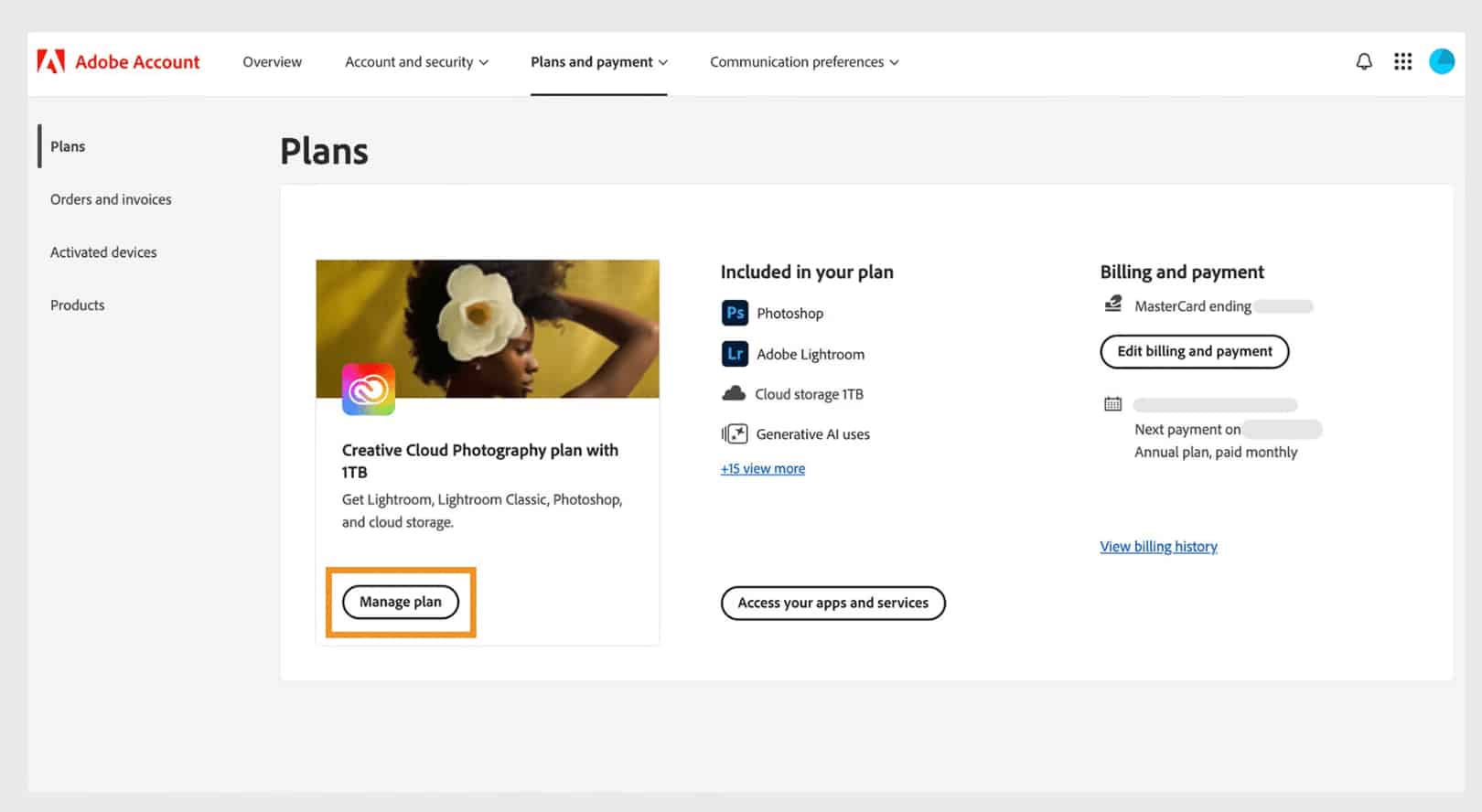
- Sign In: Go to
https://account.adobe.com/plansand log in with your Adobe ID. - Manage Plan: Find your active subscription and click "Manage plan".
- Select Cancel: Click "Cancel your plan".
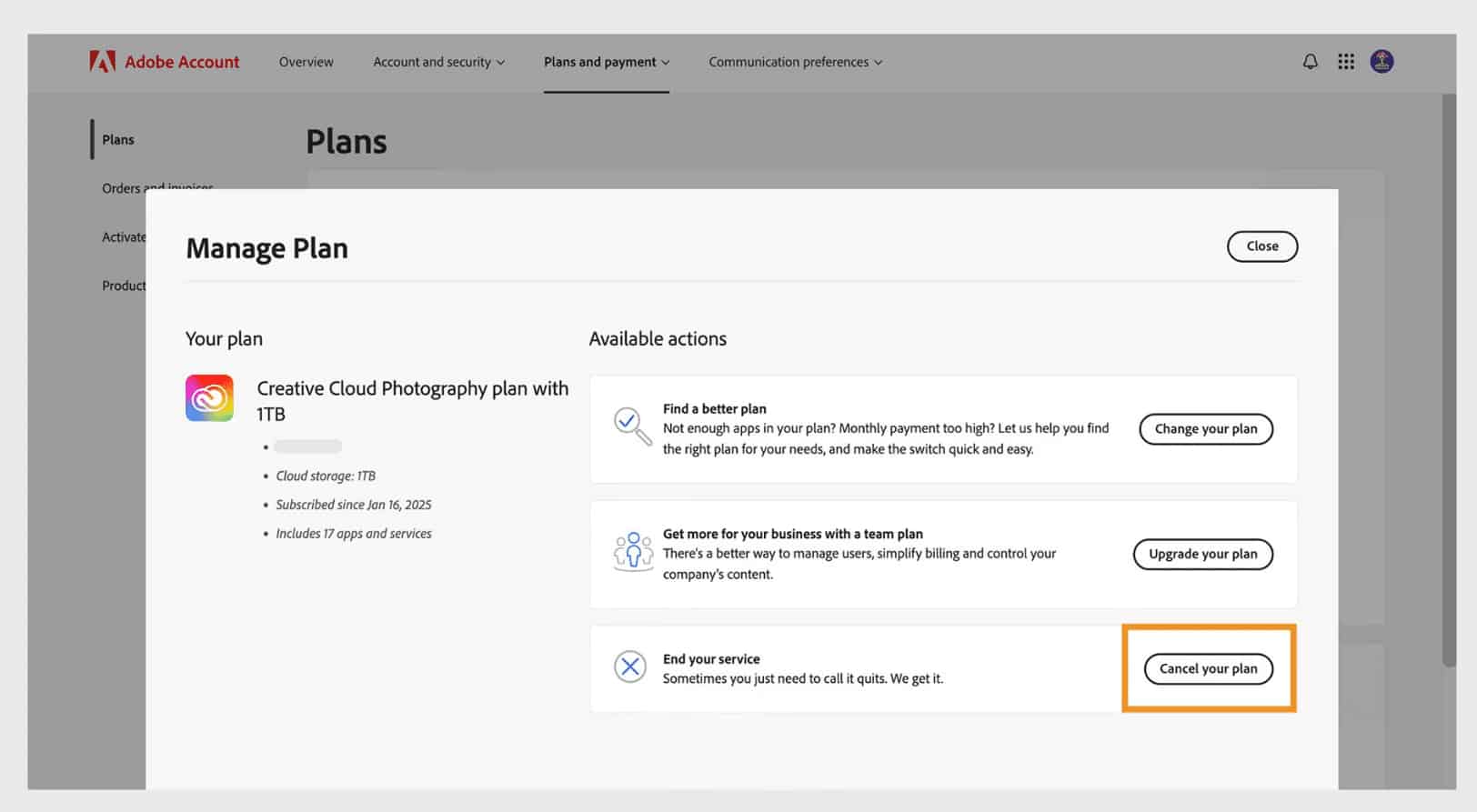 *Note: If the option isn't available, Adobe might be processing your payment. Try again in 24 hours.
 - Review Details: Check your plan's details and click "Continue to cancel".
- Provide a Reason: Select the reason for cancellation and click "Continue".
- Confirm Cancellation: Review the final details and click "Confirm cancellation". Check your email for a confirmation message.
Pro Tip: If you purchased through a third party (like Apple, Google, or Microsoft), you must cancel directly through their app store.
02. The "Cancellation Fee" Trap & Refund Policy
⚠️ Warning: The 50% Early Termination Fee
Many users are shocked to find they accidentally signed up for an "Annual plan, paid monthly." According to Adobe's official policy:
- Cancel within 14 days of purchase: You get a full refund with no penalty.
- Cancel after 14 days: Your service continues until the end of that month's billing cycle, but you are charged a lump-sum penalty equal to 50% of your remaining contract obligations!
*Strategy: If faced with this massive fee, try contacting Adobe Live Chat. Customer support agents sometimes have the authority to waive the penalty as a one-time courtesy.
03. What Happens to My Files After Canceling?
According to the official documentation, your account downgrades to a "free membership" with the following impacts:
- ☁️ Cloud Storage Drops: Your allowed cloud storage is reduced to 5 GB. You have 30 days to download your files and reduce online usage before Adobe permanently deletes excess data.
- 📸 Lightroom Images: Adobe will continue to store your original images for 1 year after your membership lapses.
- ✨ Generative AI Credits Expire: The generative credits you received with your subscription will expire immediately upon cancellation.
Say Goodbye to Fees, Hello to Genuine Value
Canceling an expensive subscription doesn't mean you have to stop creating. In 2026, you need a stress-free productivity environment without predatory contracts or auto-renewal traps.
Through our official enterprise distribution channel, simply bind your personal email to enjoy 200GB of official cloud storage + the full genuine Creative Cloud suite and AI tools at a massive discount!
Unlock Your Genuine License 🚀