




.webp)

Adobe Fined $1.5B by DOJ! How Freelancers Can Cancel Without Penalty Fees
As a freelancer, your income is rarely predictable. One month you might be overwhelmed with high-paying gigs, and the next, you might face a dry spell. But amidst this flexible lifestyle, there's one relentless bloodsucker: your monthly Adobe Creative Cloud bill. When you try to pause your subscription during a slow month, you hit a brick wall—a checkout page demanding an "Early Termination Fee" (ETF) equal to 50% of your remaining contract value.
To avoid this hefty fine, which can easily exceed $100, many designers feel forced to keep paying monthly, effectively becoming hostages to their own tools. But the tide has turned. In early 2026, the Department of Justice (DOJ), alongside the FTC, filed a massive lawsuit against Adobe, targeting its hidden annual subscription traps and predatory cancellation fees. This storm isn't just a PR nightmare for Adobe; it provides the perfect, justified window for exhausted freelancers to cancel their subscriptions penalty-free.
Figure 1: News coverage of the blockbuster DOJ lawsuit against Adobe regarding hidden Early Termination Fees.

1. Deep Dive: Why is the DOJ Suing Adobe?
To successfully cancel without a fee, you need to understand your leverage. According to public court documents, Adobe is accused of violating the Restore Online Shoppers’ Confidence Act (ROSCA). Their core "offenses" boil down to two main deceptive practices:
- The Hidden "Annual Plan" Trap: When you click "Buy" on Adobe's website, the most prominent and cheapest price is usually the "Annual plan, paid monthly." Adobe hides the crucial fact that this is a binding, year-long contract in tiny fonts or obscure hyperlinks. Most users assume it's a standard, cancel-anytime monthly sub.
- Manufactured Dark Patterns: When a user attempts to cancel, Adobe's system forces them through a maze of retention pages, only revealing the 50% ETF ambush at the very last step. Shocked by the sudden massive fine, many users abandon the cancellation process altogether.
2. Fight Back: The 3-Step Guide to Waiving Your 50% ETF
Due to the massive public backlash fueled by the DOJ lawsuit, Adobe is currently on the defensive. To avoid further angering regulators, their customer service is applying much looser criteria for fee waivers. Here are the most effective, community-tested methods to cancel without paying a dime:
Method 1: The "Plan-Switching" Loophole
This is a purely technical workaround that currently boasts the highest success rate without needing to talk to anyone:
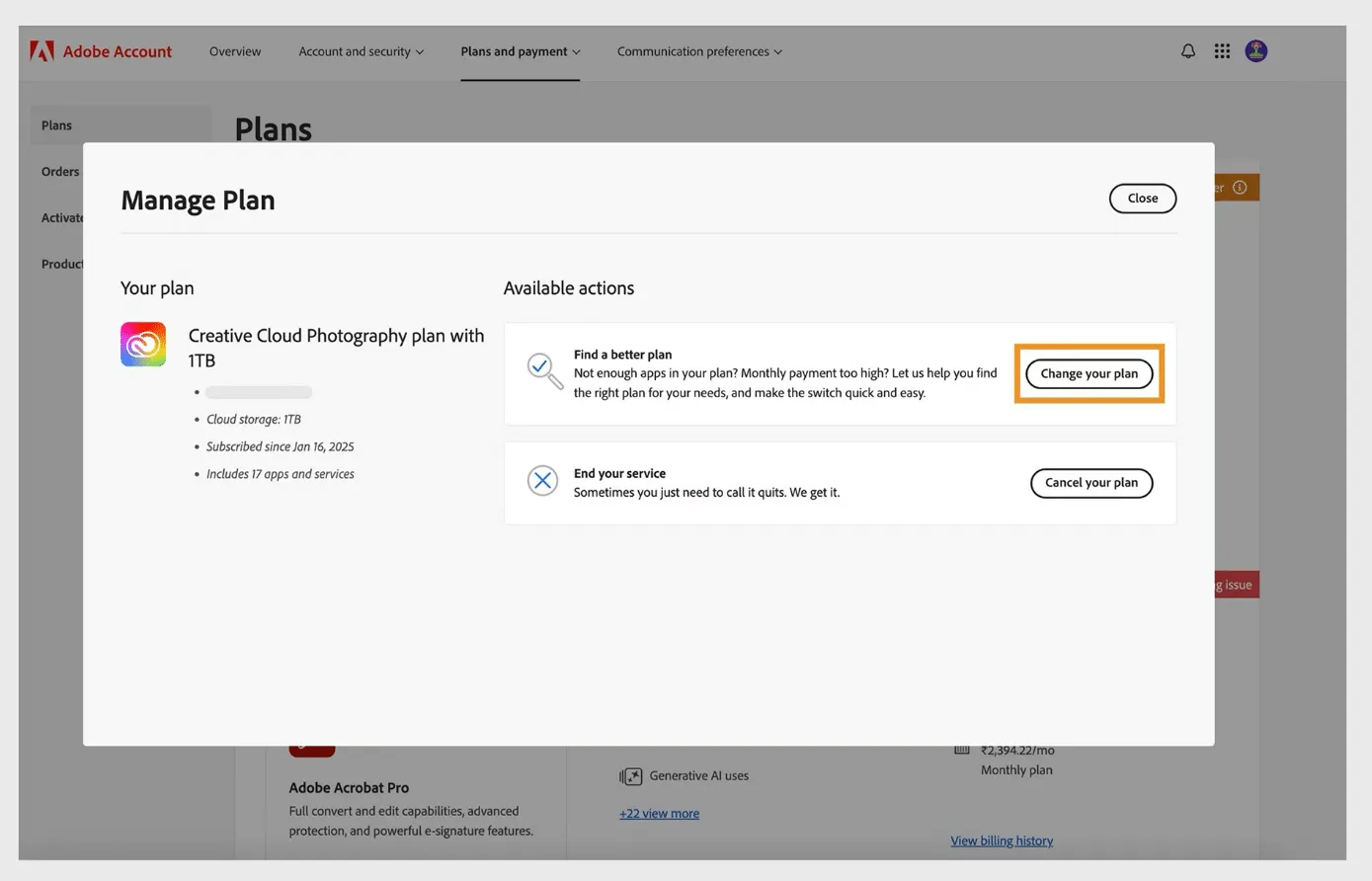
- Log into your Adobe account and navigate to "Plans and payment."
- Do NOT click "Cancel Plan" yet! Instead, click on "Change Plan."
- Select the cheapest available option (usually the Photography Plan with 20GB storage, around $9.99/month).
- Confirm the switch. Here is the secret: By switching to a new plan, Adobe's system resets your 14-day "no-questions-asked" full refund window.
- Wait 2-3 hours for the system to fully update your account status.
- Log back in and hit "Cancel Plan." Because you are now in the 14-day grace period of your new plan, the ETF will legally and legitimately drop to $0.
Figure 2: The "Change Plan" interface in the Adobe account dashboard used to bypass the cancellation fee.
Method 2: The "Lawsuit Leverage" Script
If the loophole has been patched, open the Live Chat bubble in the bottom right corner of your account page. Bypass the bot, request a human agent, and send this exact script:
"Hello, I need to cancel my subscription immediately. I am fully aware of the recent DOJ and FTC lawsuit regarding Adobe's deceptive hidden Early Termination Fees under the ROSCA act. I was misled by the pricing page and was not clearly informed of the annual commitment. I request that my subscription be canceled immediately with the ETF fully waived, otherwise I will be forced to file a consumer complaint."
During this highly sensitive time, customer service reps are heavily incentivized to reply, "As a one-time exception, I have waived the fee for you," just to make the problem go away.
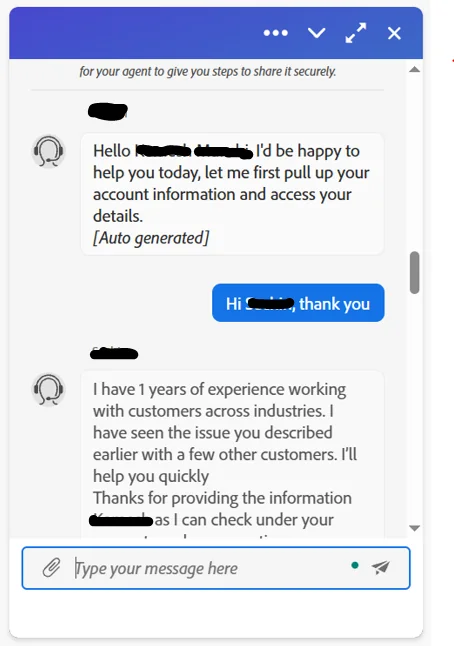
Figure 3: A real chat transcript of a user successfully leveraging the DOJ lawsuit to get their ETF waived.
Method 3: Freeze the Payment (The Nuclear Option)
If they outright refuse, contact your credit card issuer (or PayPal). State that the charge is a "Deceptive Subscription" that was not properly disclosed. Request a hard block on all future Adobe charges. Thanks to the DOJ's official stance, banks are currently highly receptive to these specific chargeback requests.
3. The Freelancer's Dilemma: True Flexibility Without Compromise
While escaping the ETF is a massive relief, the reality remains: you still need to deliver commercial projects. Turning to pirated software is commercial suicide. In 2026, anti-piracy crackdowns are severe, and downloading cracked installers exposes you to ransomware and devastating legal liabilities.
What modern freelancers truly need is a pure productivity tool: use it when you have a gig, pause it when you don't, with zero hidden contracts.
💡 The Ultimate Pay-As-You-Go Solution
We provide genuine, independent Adobe licenses for as low as 1/5th of the official retail price. There are no annual contract traps here. We fully support flexible, short-term monthly rentals. Buy a month when you land a big project, and stop it instantly when the dry season hits—absolutely NO cancellation fees or hidden charges. Most importantly, you get access to all core features, including the genuine computing power needed for Firefly AI generation, backed by full after-sales support.
⚠️ The Transparent Minor Compromise
Business isn't magic; extreme discounts require a small trade-off. To save 80% and completely eliminate ETF stress, our solution requires you to re-verify your login once a week and does not include cloud collaboration storage. If you save your assets to a local hard drive anyway, this is barely a hurdle (To ensure you are fully informed, we highly recommend reading our deep-dive review: Revealed: Are you willing to spend 1 minute a week re-logging to save 80% on Adobe in 2026?).
Figure 4: Enjoying a seamless workflow with our flexible, deeply discounted Adobe license.
4. Cancellation & Workflow FAQ
Q: What happens to my cloud files after I cancel my official sub?
A: Your storage will be downgraded to the free 2GB tier. Excess files may be permanently deleted after a 30-day grace period. Please download all vital cloud assets to your local drive *before* clicking cancel.
Q: Will Adobe sue me personally if I block them via my bank?
A: Highly unlikely. For a minor individual monthly fee, Adobe will simply suspend your current account access. They are not going to spend thousands on legal fees to sue an individual—especially while they are fighting a $1.5B lawsuit against the US Government.
Q: Will using a deeply discounted license affect my client handoffs?
A: Not at all. The software functionality is identical to the full-priced official version. You can seamlessly continue working on your local PSD, AI, or PR files and export them normally for commercial delivery.
Done with Absurd Subscriptions and Penalty Fees?
It's time to take the power back. Choose our compliant, genuine licensing solution for just 20% of the cost. Use it, drop it, and refuse to be held hostage by hidden corporate clauses. Invest the money you saved from that ETF into better hardware, or just buy yourself some high-quality coffee!
💡 I'm In! Get My Burden-Free Discounted License Now